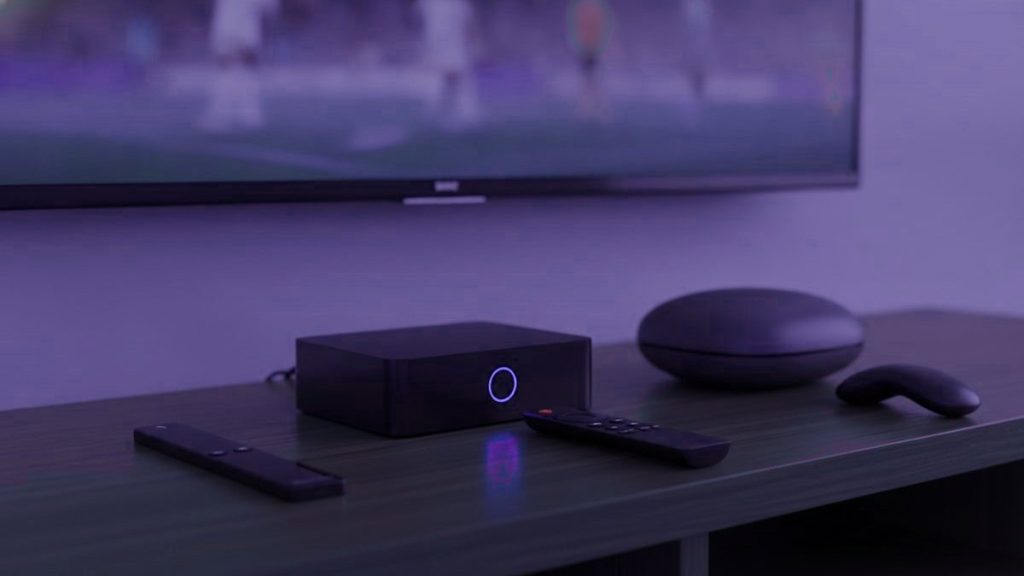
El mejor dispositivo para IPTV es, casi con seguridad, uno que ya tienes. Cualquier dispositivo que hoy ejecute Netflix, Disney+ o una plataforma de streaming similar correrá un reproductor de IPTV sin ningún hardware adicional. Antes de comprar nada, vale la pena revisar si algún dispositivo del hogar ya califica.
Si vas a comprar hardware nuevo, o si el dispositivo que tienes es demasiado viejo o lento para una buena experiencia, este artículo cubre las principales opciones en 2026: cuánto cuesta cada una, qué maneja bien y para quién es adecuado cada tipo de dispositivo. El enfoque es práctico más que exhaustivo: los dispositivos que la mayoría de la gente realmente considerará, evaluados con honestidad.
Por qué el dispositivo importa menos de lo que crees
El rendimiento del IPTV se ve limitado más a menudo por la capacidad de los servidores del proveedor y por la red del hogar que por el dispositivo en sí. Un Fire TV Stick de gama media entrega la misma calidad de señal que un Nvidia Shield Pro cuando ambos reciben la misma señal estable. El Shield Pro maneja mejor la recuperación del buffering y decodifica el 4K HDR de forma más eficiente, pero si la señal es sólida, ambos dispositivos producen la misma imagen en el televisor.
El dispositivo importa en los extremos: al decodificar señales 4K de muy alta tasa de bits, al procesar una EPG grande entre 25,000 canales y al manejar una mala conexión de red. Para la visualización estándar con una suscripción confiable, un dispositivo de gama media es indistinguible de uno premium en el uso diario.
Amazon Fire TV Stick 4K Max
El Fire TV Stick 4K Max es la primera opción acertada para la mayoría de los hogares que empiezan con IPTV. Cuesta alrededor de $60, se conecta directamente a un puerto HDMI de cualquier televisor y ejecuta IPTV Smarters Pro y TiviMate desde la Amazon App Store o por sideload. Maneja 4K HDR, Dolby Vision y Dolby Atmos. El control incluye botones que navegan la mayoría de las interfaces de los reproductores de IPTV sin tener que aprender un esquema de control nuevo.
La ventaja práctica sobre el Stick estándar: el modelo Max tiene un procesador más rápido (MediaTek MT8696T frente al MT8696 del Stick estándar) que hace notablemente más ágil el cambio de canales y la carga de la EPG en una lista grande. La diferencia es pequeña en una red rápida; se nota en una más lenta o con un proveedor cuya EPG es grande.
Para quién es: para cualquiera que quiera agregar IPTV a un televisor existente sin una inversión importante. Para quien ya use dispositivos Fire TV y se sienta cómodo en ese ecosistema. Para usuarios de IPTV primerizos que quieren algo que funcione con una configuración mínima.
Limitación: el ecosistema de Amazon. La publicidad y las sugerencias de Fire TV están presentes por toda la interfaz, y algunas apps de IPTV deben instalarse por sideload (fuera de la tienda oficial) en Fire TV. El proceso de sideload de TiviMate toma unos cinco minutos una vez que conoces los pasos.
Nvidia Shield TV Pro
El Nvidia Shield TV Pro es el dispositivo Android TV más potente disponible en 2026, con un procesador Tegra X1+ y 3 GB de RAM. Maneja todos los formatos de video y códecs en uso, incluido AV1, y su rendimiento de red es lo bastante fuerte como para que la función de reescalado con IA (que se aplica tanto a las señales de IPTV como al contenido local) produzca una imagen notablemente más nítida en contenido de 1080p mostrado en una pantalla 4K.
La ventaja práctica sobre los dispositivos Android más económicos: el Shield ejecuta Android TV de forma nativa, lo que significa que TiviMate y todos los demás reproductores de IPTV importantes están disponibles en la Google Play Store sin sideload. Google Assistant y Chromecast vienen integrados. El dispositivo es genuinamente rápido: la carga de la lista de canales, el renderizado de la EPG y la decodificación de códecs ocurren sin el retraso que muestran los dispositivos más baratos bajo carga.
Para quién es: para usuarios intensivos que quieren un solo dispositivo que maneje IPTV, reproducción de contenido local, videojuegos (vía GeForce Now) y todo lo demás que debe hacer un centro multimedia. Para hogares con un televisor 4K que quieren aprovechar al máximo el reescalado en contenido HD. Para personas a las que molestan las limitaciones de los dispositivos más baratos y quieren comprar una sola vez.
Limitación: alrededor de $200, lo que equivale a tres o cuatro veces el costo de un Fire TV Stick. La ventaja de rendimiento sobre un dispositivo de $60 es real, pero no es significativa para la mayoría de los casos de uso de IPTV.
Formuler Z11 Pro Max
El Formuler Z11 Pro Max es un decodificador Android construido específicamente en torno al uso de IPTV. Viene con el reproductor MyTVOnline 5 preinstalado y ejecuta TiviMate y otros reproductores basados en Android de forma nativa. El control está diseñado en torno al patrón de visualización de IPTV: un botón de guía, un botón de catch-up, controles dedicados para el reproductor en lugar de para una interfaz Android de propósito general.
La ventaja práctica: una experiencia lista para usar optimizada para IPTV en lugar de para streaming o videojuegos. El reproductor MyTVOnline que trae es funcional de inmediato, sin ninguna configuración adicional. Para los usuarios a quienes la fricción del ecosistema de Fire TV les resultó frustrante y quieren algo que simplemente funcione como un decodificador de televisión, el enfoque de diseño del Formuler es atractivo.
Para quién es: para usuarios que vienen de decodificadores MAG y quieren un dispositivo más potente con un concepto familiar. Para hogares donde el televisor se usa principalmente para canales en vivo y la experiencia de dispositivo Android del Nvidia Shield es una complejidad innecesaria.
Limitación: alrededor de $130 a $160 según el vendedor. MyTVOnline 5 es bueno, pero TiviMate es mejor para la mayoría de los usuarios, y TiviMate en un Fire TV Stick 4K Max a la mitad del precio es una experiencia comparable para el uso estándar de IPTV.
Apple TV 4K (3.ª generación)
El Apple TV 4K maneja 4K HDR, Dolby Vision y Dolby Atmos con la integración más fluida dentro del ecosistema de Apple. Para hogares donde los iPhone y los iPad son los dispositivos principales, la capacidad de pasar contenido, controlar por Siri y compartir una cuenta de Apple entre dispositivos es genuinamente útil, no una ventaja teórica.
El IPTV en Apple TV requiere usar IPTV Smarters Pro o un reproductor compatible de la App Store. TiviMate no está disponible en tvOS. La curaduría de la App Store hace que algunos reproductores que están disponibles sin problema en Android sean más difíciles de conseguir en Apple TV.
Para quién es: para hogares 100% Apple que quieren que su centro multimedia se comporte de forma coherente con sus otros dispositivos. Para personas que ya tienen un Apple TV y quieren agregar IPTV en lugar de comprar un segundo dispositivo.
Limitación: alrededor de $130. Las opciones de reproductor son más limitadas que en Android debido a las restricciones de la App Store. IPTV Smarters Pro funciona bien, pero el ecosistema de Android te da más flexibilidad en la elección de reproductor.
Decodificadores MAG y Formuler
Los decodificadores MAG (producidos por Infomir) son el formato original de decodificador de IPTV. Ejecutan un firmware basado en Linux llamado STB Emulator y están diseñados para exactamente un propósito: mostrar canales de IPTV. No ejecutan apps de Android, no pueden usarse para plataformas de streaming y no tienen ninguna funcionalidad de computación de propósito general. Son el equivalente en IPTV de un decodificador de cable, ni más ni menos.
La experiencia de usuario en un decodificador MAG es la más parecida a la televisión de todas las opciones listadas aquí. Hay un control remoto, una guía de canales, y eso es esencialmente toda la interfaz. Para los usuarios a quienes los reproductores basados en Android les resultaron confusos y quieren algo que se comporte como un decodificador de cable, el MAG es la respuesta más directa.
Para quién es: para usuarios mayores u hogares con poca afinidad tecnológica que encuentran confusa la interfaz de Android TV. Para configuraciones donde se prefiere un dispositivo dedicado a IPTV, separado de cualquier smart TV o stick de streaming.
Limitación: no puede ejecutar los reproductores basados en Android en torno a los cuales están construidas hoy la mayoría de las suscripciones de IPTV. El soporte de los proveedores para el formato de portal MAG varía: no todos los proveedores mantienen una URL de portal compatible. Consulta con el proveedor antes de comprar un decodificador MAG específicamente para usarlo con su servicio.
Roku
Roku es la plataforma de streaming dominante en Estados Unidos por número de dispositivos activos. Ejecuta un sistema operativo propio en lugar de Android, lo que limita las opciones de reproductores de IPTV: TiviMate no está disponible, y los reproductores que se instalan fácilmente por sideload en Android requieren un proceso alternativo en Roku.
IPTV Smarters Pro está disponible en la Roku Channel Store y es la opción práctica para los usuarios de Roku. La experiencia es funcional. Roku en sí es una plataforma fuerte para servicios de streaming, y agregar IPTV mediante Smarters a un dispositivo Roku existente suma la grilla de canales en vivo sin necesidad de hardware nuevo.
Para quién es: para usuarios actuales de Roku que quieren agregar IPTV sin reemplazar su dispositivo actual.
Limitación: el ecosistema de reproductores de IPTV en Roku es más limitado que en Android o Fire TV. Si el IPTV es el uso principal, un Fire TV Stick o un dispositivo Android te da una mejor selección de reproductores por aproximadamente el mismo costo.
La recomendación según el caso de uso
| Caso de uso | Dispositivo recomendado |
|---|---|
| Agregar IPTV a un televisor existente, opción económica | Amazon Fire TV Stick 4K Max |
| Centro multimedia principal, dispositivo todo en uno | Nvidia Shield TV Pro |
| Enfoque en IPTV, experiencia tipo televisión | Formuler Z11 Pro Max o MAG |
| Hogar 100% Apple | Apple TV 4K (el dispositivo existente si ya lo tienes) |
| Usar un dispositivo Roku existente | Roku (con IPTV Smarters Pro) |
| Smart TV sin un dispositivo adicional | Samsung/LG con la app Smart IPTV |
La jerarquía es: revisa primero lo que ya tienes, agrega un Fire TV Stick 4K Max si necesitas hardware y no tienes razones de peso para subir de gama, y gasta más solo si un requisito específico (el reescalado del Shield, la interfaz tipo televisión del Formuler, la integración del ecosistema del Apple TV) justifica la diferencia de precio. El rendimiento del IPTV tiene más que ver con la suscripción y la red que con el dispositivo. Una gran suscripción en un dispositivo de gama media es, de forma consistente, mejor que una mala suscripción en hardware premium.
Preguntas frecuentes
What hardware do I need for IPTV?
Any device that currently runs Netflix will run an IPTV player. If you need to buy hardware, an Amazon Fire TV Stick 4K Max at around $60 handles 4K, runs TiviMate and Smarters, and requires minimal setup. If you want faster hardware or a television-like interface, step up to an Nvidia Shield TV Pro ($200) or a Formuler Z11 Pro Max ($130-$160).
Is the Nvidia Shield TV Pro worth it for IPTV?
If IPTV is your primary use case, probably not at $200. A Fire TV Stick 4K Max delivers the same stream quality at a third of the price when the feed is stable. The Shield earns its cost for media-centre use beyond IPTV — local playback, GeForce Now, Plex server — and its AI upscaling is genuinely useful on a 4K television receiving HD content.
Can I use my existing smart TV for IPTV?
Samsung and LG smart TVs made after 2016 run Smart IPTV directly from the app store. For other brands, attach a Fire TV Stick or Android box to an HDMI input. If the television already runs Netflix, it may also support IPTV apps directly — check the manufacturer's app store before buying a separate device.
What is a Formuler box and is it better than a Fire Stick?
A Formuler Z11 Pro Max is an Android TV box built specifically for IPTV use. It ships with the MyTVOnline 5 player pre-installed, has a remote with dedicated guide and catch-up buttons, and runs TiviMate natively. For daily IPTV viewing, the experience is more polished than a Fire Stick. For occasional use, a Fire Stick at a third of the price covers the same ground.
Does it matter which device I use for picture quality?
Less than you might expect. A Fire TV Stick 4K Max and an Nvidia Shield both receive the same stream from the provider. Where they differ is in how they decode very high bitrate 4K content, handle a poor buffer situation, and process a large EPG. On a stable feed, the picture quality is indistinguishable between midrange and premium devices.
Can I use a MAG box in 2026?
Yes, and MAG boxes still work well for users who want a television-like experience with no Android complexity. The limitation is that MAG boxes run a Linux firmware rather than Android, so they cannot use TiviMate, Smarters or other Android apps. Provider support for the MAG portal format varies — confirm that your provider maintains a compatible portal URL before buying a MAG box specifically for use with their service.
Descubre qué puede reemplazar
Dinos qué pagas actualmente y te diremos con claridad qué cubre esto y qué no. Después aprovecha una prueba de 24 horas y compruébalo tú mismo antes de cancelar nada.
Artículos relacionados
IPTV en español vs el cable hispano: el costo real en 2026
Respuesta rápida: En 2026, el cable hispano en EE. UU. suele costar entre $70 y $110 al mes una vez sumados equipos,…
October 15, 2026Cómo ver boxeo y UFC en español en 2026
Respuesta rápida: Para ver boxeo y UFC en español desde EE. UU. en 2026, lo práctico es una IPTV que reúna las…
October 15, 2026Cómo ver canales de México en EE. UU. en 2026
Respuesta rápida: Para ver canales de México desde EE. UU. en 2026, lo más práctico es una IPTV en español que reúna…